Choosing the wrong image format can slow your website by three seconds and cost you forty percent of visitors who abandon slow-loading pages. Yet despite the critical importance of image optimization for web performance, many developers and content creators remain confused about when to use PNG, WebP, JPEG, or the newer AVIF format. Each format offers distinct advantages for specific use cases, and understanding these differences is essential for building fast, visually appealing websites in 2026.
This comprehensive guide cuts through the technical jargon to provide clear, actionable recommendations for choosing the right image format. Whether you're building an e-commerce store, managing a content-heavy blog, or designing a corporate website, you'll learn exactly which format to use for photos, logos, graphics, and every other image type you encounter.
Quick Decision Flowchart
Before diving into detailed comparisons, use this decision tree to quickly identify the best format for your specific needs:
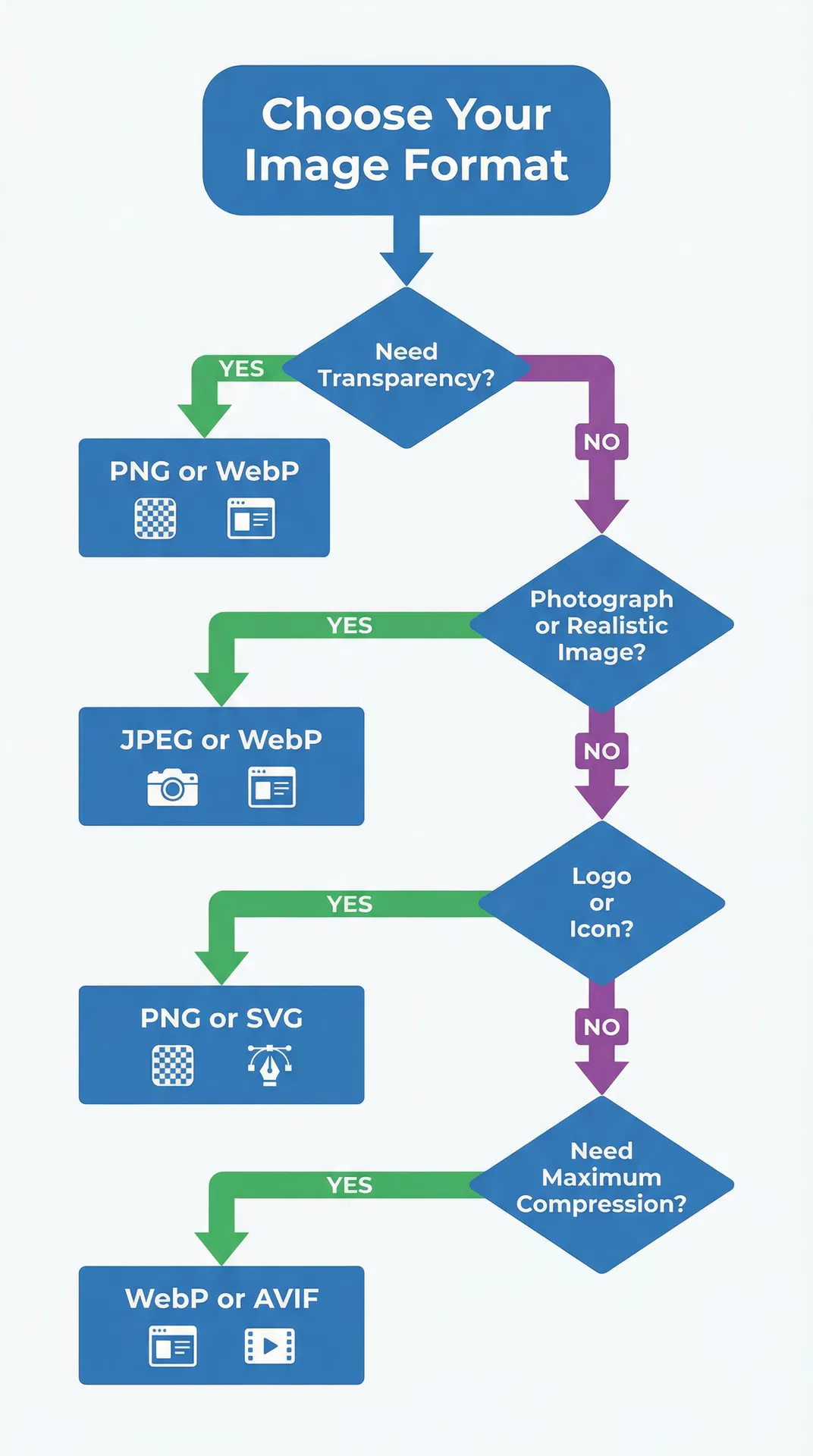
Need transparency? Choose PNG or WebP. Transparent backgrounds are essential for logos, icons, and graphics that need to blend seamlessly with different background colors.
Photograph or realistic image? Choose JPEG or WebP. Photographic content with millions of colors and gradual tonal transitions benefits from lossy compression that dramatically reduces file size while maintaining visual quality.
Logo or icon? Choose PNG or SVG. Vector formats like SVG offer infinite scalability for simple graphics, while PNG provides sharp edges and transparency support for more complex logo designs.
Need maximum compression? Choose WebP or AVIF. Modern formats achieve significantly smaller file sizes than traditional JPEG and PNG, with AVIF leading in compression efficiency for cutting-edge implementations.
JPEG: The Universal Standard
JPEG (Joint Photographic Experts Group) has served as the internet's default photo format for over three decades, and for good reason. This mature, universally supported format excels at compressing photographic images with millions of colors into manageable file sizes.
When to Use JPEG
JPEG is your best choice for photographs and realistic images where some quality loss is acceptable in exchange for dramatically reduced file sizes. Product photography for e-commerce stores, blog featured images, social media posts, and any scenario involving photographic content benefits from JPEG's efficient lossy compression algorithm.
The format also wins for maximum compatibility. Every web browser, image viewer, and editing application supports JPEG, making it the safest choice when you need absolute certainty that your images will display correctly across all devices and platforms. Email attachments, legacy system integrations, and situations where you can't control the viewing environment all favor JPEG for its universal support.
JPEG Pros and Cons
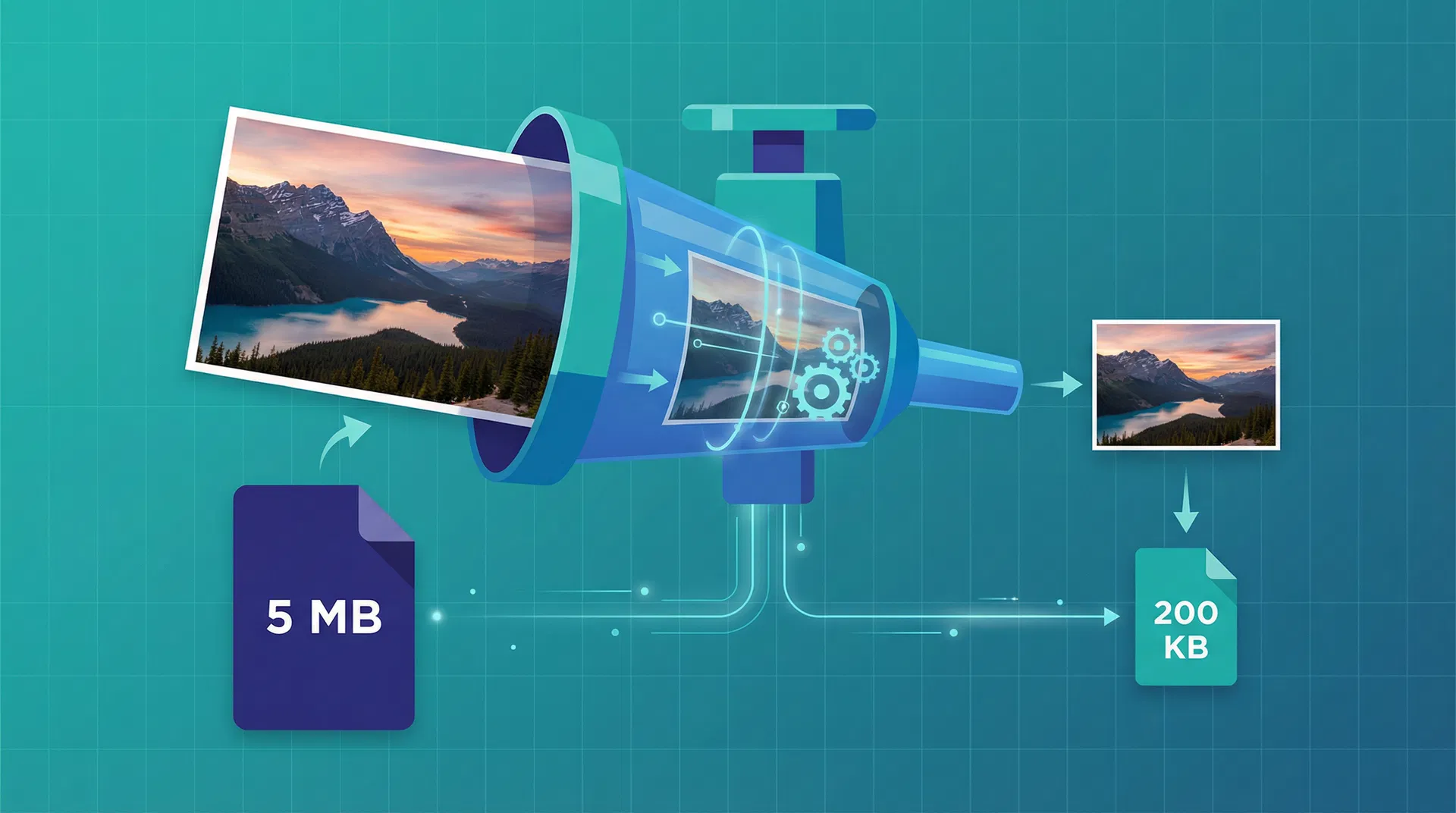
JPEG's primary advantage is its excellent compression efficiency for photographic content. A high-quality JPEG can reduce file size by ninety percent compared to an uncompressed image while maintaining visually acceptable quality. This compression makes JPEG ideal for websites where loading speed directly impacts user experience and search engine rankings.
However, JPEG's lossy compression algorithm permanently discards image data with each save operation, meaning quality degrades if you repeatedly edit and save the same JPEG file. The format also lacks transparency support, rendering it unsuitable for logos, icons, and graphics that need to blend with varying background colors. Additionally, JPEG struggles with sharp edges and text, producing visible compression artifacts around high-contrast boundaries that make it a poor choice for screenshots, diagrams, and graphics with text.
JPEG File Size Example
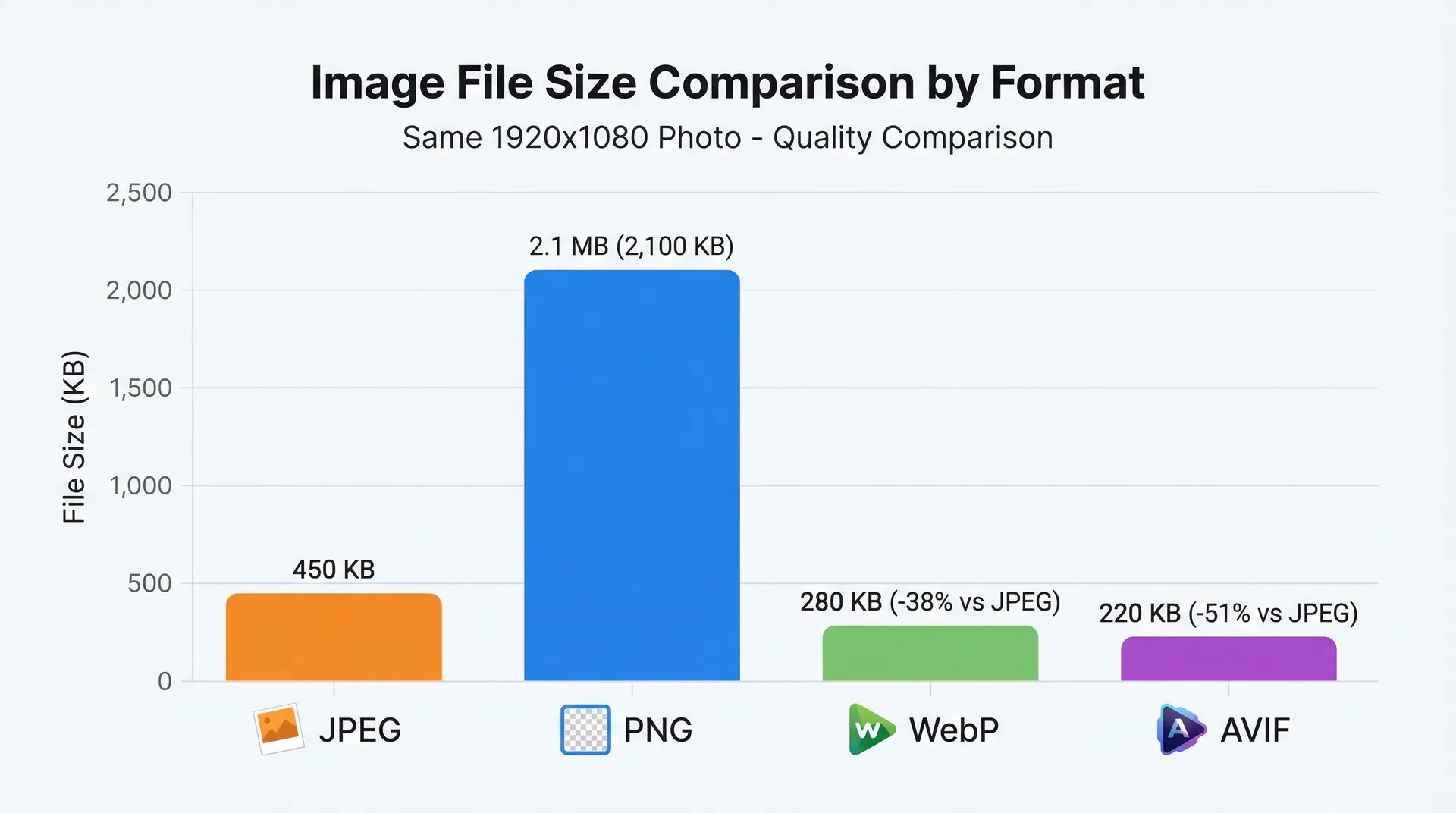
A typical 1920×1080 photograph saved as JPEG at eighty-five percent quality produces a file size around 450 KB. This same image saved as an uncompressed format would exceed 6 MB, demonstrating JPEG's impressive compression ratio. The format achieves this efficiency by analyzing the image and discarding information that human eyes are least likely to notice, such as subtle color variations in areas with similar tones.
For blog featured images, product photography, and general web use, JPEG at eighty to eighty-five percent quality provides the optimal balance between file size and visual quality. Higher quality settings produce larger files with minimal perceptible improvement, while lower settings introduce visible compression artifacts that degrade the professional appearance of your content.
PNG: The Transparency Champion
PNG (Portable Network Graphics) was developed in the mid-1990s as an improved replacement for the older GIF format, offering superior compression and full color support. PNG has become the standard format for graphics requiring transparency or lossless quality preservation.
When to Use PNG
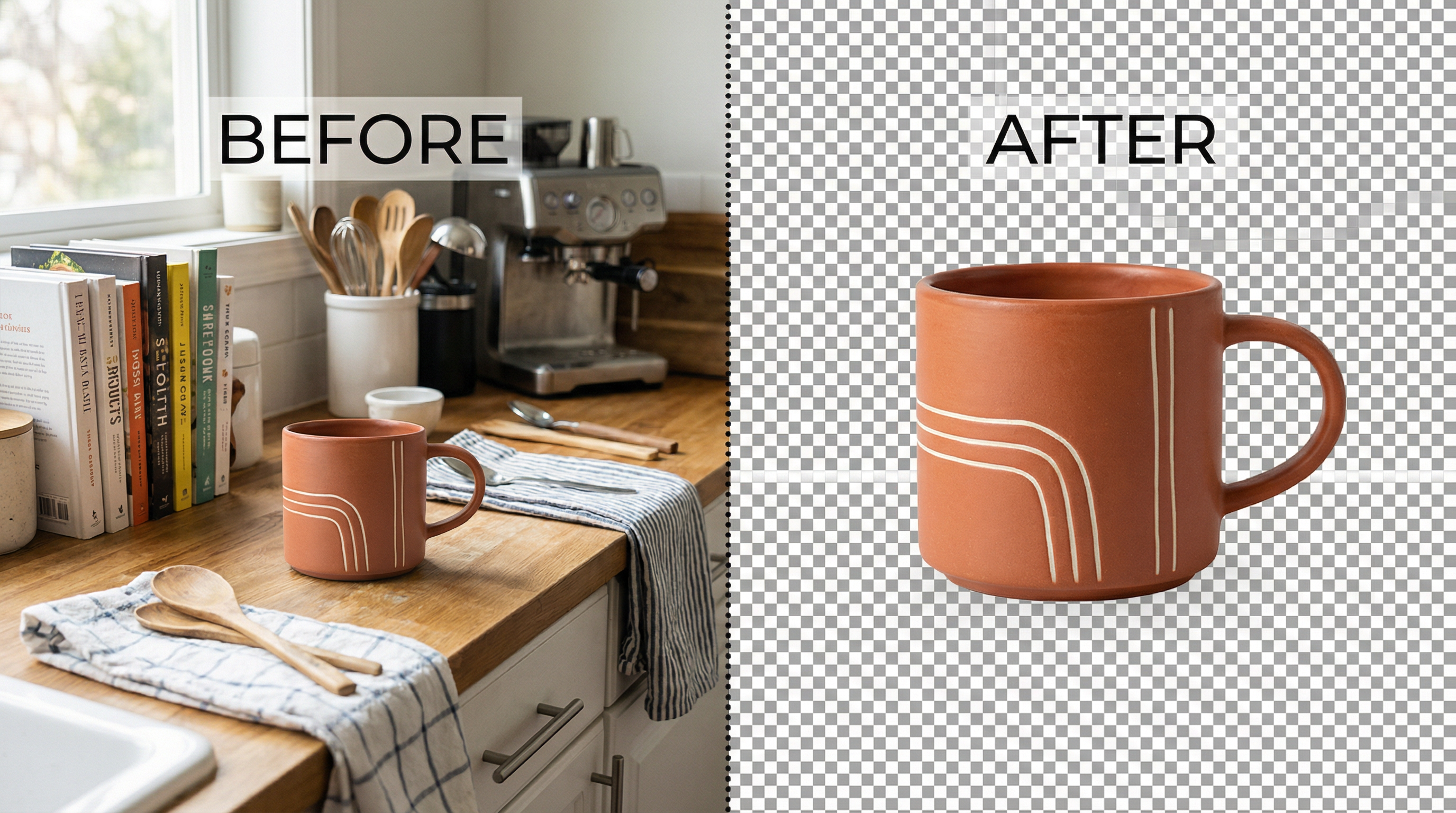
PNG is the definitive choice for logos, branding elements, and any graphic requiring transparent backgrounds. The format's alpha channel support allows portions of the image to be fully or partially transparent, enabling logos to display seamlessly on any background color or pattern. This transparency capability makes PNG essential for website headers, overlay graphics, watermarks, and any design element that needs to blend with varying backgrounds.
The format also excels for screenshots, user interface elements, and graphics containing text. PNG's lossless compression preserves every pixel exactly as created, ensuring sharp edges and crisp text rendering that lossy formats like JPEG cannot match. Diagrams, charts, infographics with text, and any image where clarity and precision matter more than file size should use PNG format.
PNG Pros and Cons
PNG's lossless compression means you can edit and save PNG files repeatedly without any quality degradation, unlike JPEG's cumulative quality loss. This characteristic makes PNG ideal for working files and images that may require future editing. The format's transparency support and sharp edge rendering provide unmatched versatility for graphic design and web development.
The primary disadvantage of PNG is significantly larger file sizes compared to lossy formats, particularly for photographic content. A photograph that compresses to 450 KB as JPEG might exceed 2 MB as PNG, creating performance problems for websites where loading speed matters. PNG's compression algorithm works best on graphics with large areas of solid color and sharp edges, but performs poorly on photographs with millions of subtle color variations.
PNG File Size Example
A logo with transparency measuring 800×400 pixels typically produces a PNG file around 120 KB when using PNG-24 format with full color support. The same logo might compress to just 30 KB as PNG-8 with a limited color palette if the design uses fewer than 256 colors. PNG's compression efficiency varies dramatically based on image content - simple graphics with solid colors compress extremely well, while complex photographs produce large files.
For website headers, logo files, and graphics with transparency, PNG provides the necessary features despite larger file sizes. Modern websites can mitigate PNG's size disadvantage through lazy loading, content delivery networks, and serving appropriately sized images rather than forcing browsers to download and resize oversized files.
WebP: The Modern Challenger
WebP, developed by Google and released in 2010, represents the first major evolution in web image formats in over two decades. This modern format combines the best features of JPEG and PNG while achieving smaller file sizes than either traditional format.
When to Use WebP
WebP is the optimal choice for modern websites targeting contemporary browsers. E-commerce product images, blog photographs, marketing graphics, and virtually any web image benefits from WebP's superior compression efficiency. The format supports both lossy compression for photographs and lossless compression for graphics, making it a versatile replacement for both JPEG and PNG in most scenarios.
Mobile-first websites particularly benefit from WebP's reduced file sizes. Mobile users on cellular connections experience faster page loads when images use WebP instead of traditional formats, directly improving user experience and reducing bounce rates. The format's transparency support also makes it suitable for logos and graphics that previously required PNG, consolidating your image workflow into a single modern format.
WebP Pros and Cons
WebP achieves approximately thirty percent smaller file sizes compared to JPEG at equivalent visual quality, and up to fifty percent smaller than PNG for images with transparency. This compression advantage translates directly to faster page loads, reduced bandwidth costs, and improved search engine rankings through better Core Web Vitals scores. The format supports both lossy and lossless compression modes, transparency, and even animation, making it a true universal replacement for JPEG, PNG, and GIF.
The primary limitation is incomplete support in older software and browsers. While all modern browsers support WebP as of 2026 (with ninety-eight percent global coverage), some image editing applications and legacy systems cannot open WebP files. This incompatibility means you may need to maintain JPEG or PNG versions for certain use cases, particularly when providing downloadable images to users or integrating with older systems.
WebP File Size Example
The same 1920×1080 photograph that produces a 450 KB JPEG file compresses to approximately 280 KB as WebP at equivalent visual quality - a thirty-eight percent reduction. For images with transparency, WebP's advantage over PNG is even more dramatic. A logo that requires 120 KB as PNG might compress to just 40 KB as WebP while maintaining identical visual quality and transparency.
For modern web development in 2026, WebP represents the best balance of compression efficiency, feature support, and browser compatibility. Implementing WebP with JPEG or PNG fallbacks for older browsers provides optimal performance for the vast majority of users while maintaining universal compatibility.
Side-by-Side Comparison Table
The following table summarizes the key characteristics of each major image format to help you make informed decisions:
| Feature | JPEG | PNG | WebP | AVIF |
|---|---|---|---|---|
| Transparency Support | ❌ No | ✅ Yes | ✅ Yes | ✅ Yes |
| Lossy Compression | ✅ Yes | ❌ No | ✅ Yes | ✅ Yes |
| Lossless Compression | ❌ No | ✅ Yes | ✅ Yes | ✅ Yes |
| Browser Support (2026) | 100% | 100% | 98% | 92% |
| File Size (1920×1080 Photo) | 450 KB | 2.1 MB | 280 KB | 220 KB |
| Best Use Cases | Photographs, social media | Logos, graphics with transparency | Modern web images | Cutting-edge sites prioritizing performance |
| Editing Software Support | Universal | Universal | Good | Limited |
| Animation Support | ❌ No | ❌ No | ✅ Yes | ✅ Yes |
Real-World Use Cases and Recommendations
Understanding format characteristics is valuable, but practical application requires specific recommendations for common scenarios you'll encounter in web development and content creation.
E-Commerce Product Photos
Recommendation: WebP with JPEG fallback for maximum compatibility.
Product photography represents one of the most critical image use cases for e-commerce websites. High-quality product images directly influence conversion rates, but large file sizes slow page loads and increase bounce rates. WebP provides the optimal solution by delivering JPEG-quality images at significantly smaller file sizes, improving both visual appeal and performance.
Implement WebP as your primary format with JPEG fallbacks for the small percentage of users on older browsers. Modern content delivery networks and image optimization services can automatically serve the appropriate format based on browser capabilities, giving you the benefits of WebP without sacrificing universal compatibility.
Blog Featured Images
Recommendation: WebP for modern sites, JPEG for maximum compatibility.
Blog featured images need to load quickly while maintaining visual appeal across various screen sizes and devices. WebP's superior compression makes it ideal for blogs targeting modern audiences, particularly when combined with responsive image techniques that serve appropriately sized images for different viewport widths.
For blogs with significant traffic from older devices or corporate networks that may block newer image formats, JPEG remains the safer choice. The format's universal support ensures your featured images display correctly for every visitor, even if it means slightly larger file sizes and slower load times.
Logos and Branding
Recommendation: SVG for simple logos, PNG for complex designs.
Logo files require special consideration because they appear throughout your website and marketing materials at various sizes. SVG (Scalable Vector Graphics) provides the ideal solution for logos composed of simple shapes and solid colors. SVG files scale infinitely without quality loss, remain small in file size, and can be styled with CSS for interactive effects.
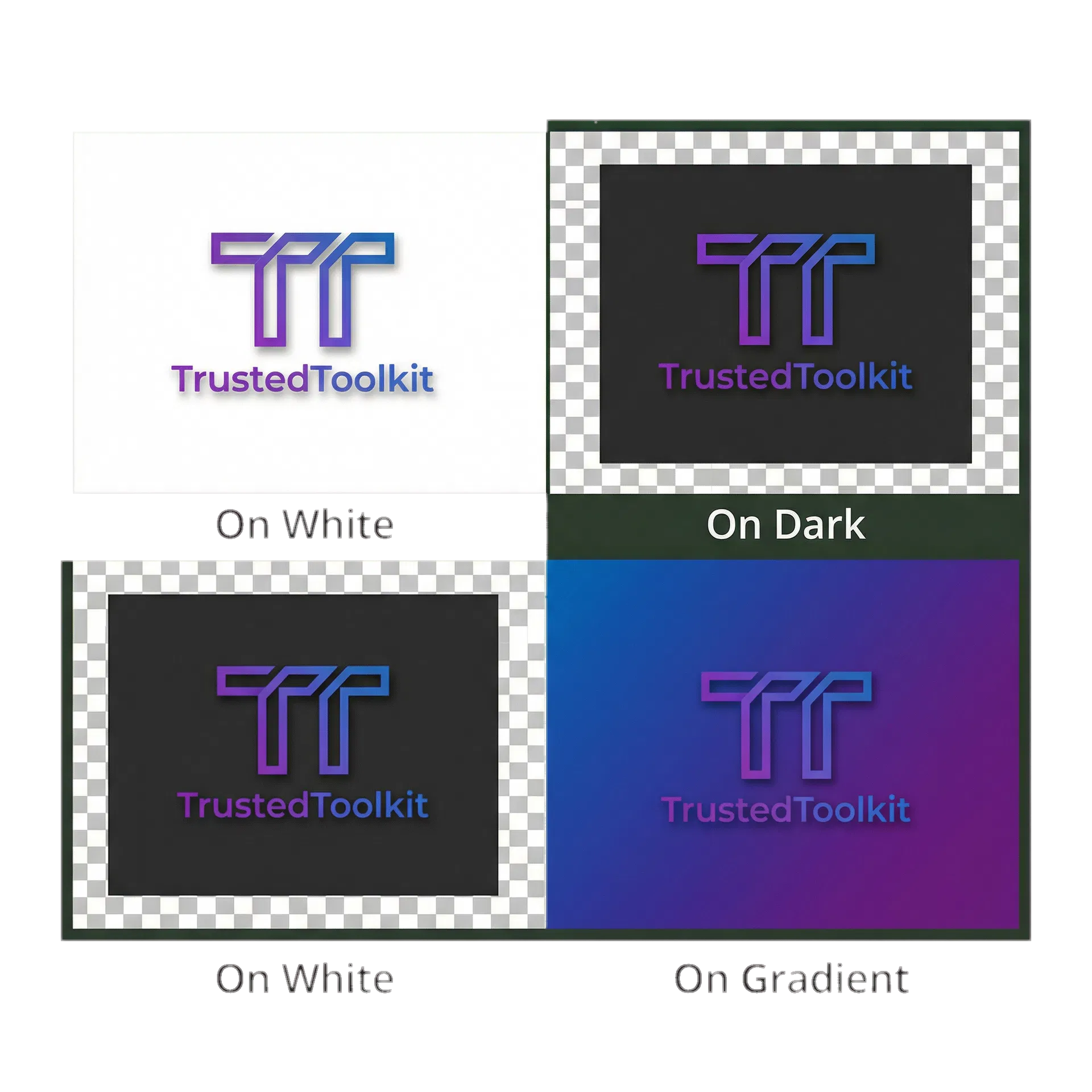
For complex logos with gradients, photographic elements, or intricate details that don't translate well to vector format, PNG remains the best choice. PNG's transparency support and lossless quality preservation ensure your logo displays perfectly on any background while maintaining crisp edges and accurate colors.
Social Media Graphics
Recommendation: PNG for graphics with transparency, JPEG for photographic content.
Social media platforms have varying image processing policies, with most automatically converting uploaded images to their preferred formats. However, starting with the optimal format ensures the best possible quality after platform processing. Graphics with text, transparency, or sharp edges should use PNG to maintain clarity through the conversion process.
Photographic social media content performs best when uploaded as high-quality JPEG files. While platforms will recompress your images, starting with JPEG at ninety to ninety-five percent quality provides the best source material for platform algorithms to work with, resulting in better final image quality compared to uploading PNG files that platforms must convert to lossy formats anyway.
Website Backgrounds
Recommendation: WebP or JPEG, with careful attention to file size optimization.
Background images present unique challenges because they typically cover large areas and must load quickly to avoid delaying above-the-fold content rendering. WebP provides the best solution for modern websites, delivering the necessary image quality at minimal file size. For websites requiring maximum compatibility, JPEG remains viable but requires aggressive compression to keep file sizes manageable.
Regardless of format choice, background images must be optimized aggressively. Use appropriate dimensions for your design rather than uploading oversized images and relying on CSS to resize them. Consider using CSS gradients or solid colors for portions of your background to reduce the actual image area that needs to load. Implement lazy loading for below-the-fold background images to prioritize critical content loading.
How to Convert Between Formats
Converting images between formats is straightforward with modern tools, though understanding quality settings and use case requirements ensures optimal results.
Online Conversion Tools: Our free background remover and image converter provides the fastest way to convert images between formats while optimizing file size. Upload your images, select your target format, and download optimized files ready for web use. The tool automatically applies appropriate quality settings for each format and provides file size comparisons to help you make informed decisions.
Photoshop and GIMP: Professional image editing applications offer complete control over format conversion and quality settings. In Photoshop, use "Save for Web" (File → Export → Save for Web) to access format-specific optimization options. GIMP provides similar functionality through File → Export As, with detailed quality sliders for each supported format.
Bulk Conversion: For converting large image libraries, command-line tools like ImageMagick provide powerful batch processing capabilities. Web developers can also implement automated conversion pipelines using Node.js libraries like Sharp or Python libraries like Pillow to convert entire directories of images with consistent quality settings.
When converting formats, always work from the highest quality source available. Converting JPEG to PNG doesn't recover quality lost in the original JPEG compression - it simply creates a larger file with the same visual quality. For best results, maintain original uncompressed or lossless source files and generate optimized web formats as needed.
Browser Support in 2026
Understanding current browser support helps you make confident format decisions without worrying about compatibility issues.
WebP enjoys ninety-eight percent global browser support as of 2026, with all modern browsers including Chrome, Firefox, Safari, and Edge providing full support. The remaining two percent consists primarily of Internet Explorer users and extremely outdated mobile browsers. For most websites, WebP can be used as the primary format with minimal fallback concerns.
AVIF has reached ninety-two percent browser support, making it viable for cutting-edge websites prioritizing maximum performance. However, the eight percent of users without AVIF support represents a significant audience that requires fallbacks. Implement AVIF with WebP and JPEG fallbacks using the HTML picture element to serve the best format each browser supports.
JPEG and PNG maintain one hundred percent browser support and will continue to serve as reliable fallback formats for the foreseeable future. Any device capable of displaying web content can render JPEG and PNG images, making them essential for scenarios where universal compatibility is non-negotiable.
File Size Optimization Tips
Choosing the right format is only the first step - proper optimization ensures your images load as quickly as possible regardless of format.
Compress Before Uploading: Never upload uncompressed or lightly compressed images directly to your website. Use image optimization tools to compress files before uploading, reducing file sizes by fifty to seventy percent without visible quality loss. Our metadata remover tool also strips unnecessary EXIF data that adds kilobytes to every image file.
Use Correct Dimensions: Uploading a 4000×3000 pixel image and using CSS to display it at 800×600 wastes bandwidth and slows page loads. Resize images to their display dimensions before uploading, or implement responsive image techniques that serve appropriately sized files for different screen sizes.
Implement Lazy Loading: Images below the fold don't need to load immediately when the page opens. Use native lazy loading (loading="lazy" attribute) or JavaScript libraries to defer loading off-screen images until users scroll near them, dramatically improving initial page load times.
Leverage CDN Delivery: Content delivery networks cache your images on servers worldwide, reducing latency by serving files from locations geographically close to your users. Many CDNs also offer automatic image optimization and format conversion, serving WebP to supporting browsers and JPEG to older ones without requiring manual implementation.
Frequently Asked Questions
Is WebP better than PNG for all use cases?
WebP is superior to PNG for most web use cases due to significantly smaller file sizes at equivalent quality. However, PNG remains preferable when you need universal compatibility with older software, when providing downloadable images to users who may not have WebP-capable applications, or when working with legacy systems that don't support modern formats. For web display in 2026, WebP is almost always the better choice.
Why are my PNG files so large compared to JPEG?
PNG uses lossless compression that preserves every pixel exactly as created, while JPEG uses lossy compression that permanently discards image data to achieve smaller files. For photographs with millions of colors and gradual tonal transitions, PNG's compression algorithm cannot match JPEG's efficiency. PNG works best for graphics with large areas of solid color and sharp edges, where its lossless compression can achieve reasonable file sizes while maintaining perfect quality.
Can I use WebP on all websites in 2026?
Yes, with appropriate fallbacks. WebP's ninety-eight percent browser support means the vast majority of your visitors will receive WebP images, but implementing JPEG or PNG fallbacks ensures the remaining two percent still see your images. Use the HTML picture element or server-side detection to serve WebP to supporting browsers and fallback formats to older ones, giving you the benefits of modern formats without sacrificing compatibility.
What's the best format for transparent backgrounds?
PNG remains the standard format for images requiring transparency, offering universal support and excellent quality. WebP also supports transparency with smaller file sizes, making it an excellent choice for modern websites. AVIF provides even better compression for transparent images but requires fallbacks due to limited browser support. For maximum compatibility, use PNG; for optimal performance on modern browsers, implement WebP with PNG fallback.
Should I use AVIF in 2026?
AVIF is viable for cutting-edge websites where maximum performance justifies the implementation complexity. The format's ninety-two percent browser support means most users will benefit from its superior compression, but you must implement WebP and JPEG fallbacks for the remaining eight percent. For most websites, WebP provides sufficient compression advantages with simpler implementation. Consider AVIF if you're building a high-traffic site where every kilobyte of bandwidth savings matters, or if you're already implementing responsive images with multiple format fallbacks.
Choose the Right Format for Your Needs
Image format selection directly impacts website performance, user experience, and ultimately your business success. JPEG remains the universal standard for photographs and realistic images, offering excellent compression and complete compatibility. PNG provides essential transparency support and lossless quality for logos, graphics, and images with text. WebP combines the best features of both while achieving smaller file sizes, making it the optimal choice for modern web development in 2026.
The decision ultimately depends on your specific use case, audience, and technical requirements. For most websites targeting contemporary users, WebP with JPEG or PNG fallbacks provides the best balance of performance and compatibility. Legacy systems and maximum compatibility scenarios still benefit from traditional JPEG and PNG formats. Cutting-edge sites prioritizing absolute maximum performance can implement AVIF with appropriate fallbacks.
Don't let image optimization remain an afterthought - the format you choose and how you optimize your files directly affects page load times, search engine rankings, and user satisfaction. Start optimizing your images today with our free background removal tool that also handles format conversion, or explore our pricing plans for bulk processing capabilities. For comprehensive image optimization, combine format selection with our metadata removal tool to strip unnecessary data and our Amazon white background guide for e-commerce best practices.
This article was last updated in February 2026 to reflect current browser support statistics, format recommendations, and web development best practices. Image format technology continues to evolve, and we regularly update our guides to provide the most current and actionable information.